Introduction
Most golf cart display evaluations begin with specifications such as screen size, Apple CarPlay, Android Auto, and touchscreen functionality. While these features are easy to compare, they reveal very little about how well a display performs once it becomes part of a production vehicle.
For golf cart and low speed vehicle (LSV) builders, integration matters more. Displays now sit at the centre of the driving experience, so manufacturers weigh how a display talks to vehicle systems, presents vehicle data, and works as part of the platform, rather than scoring it on its feature list.
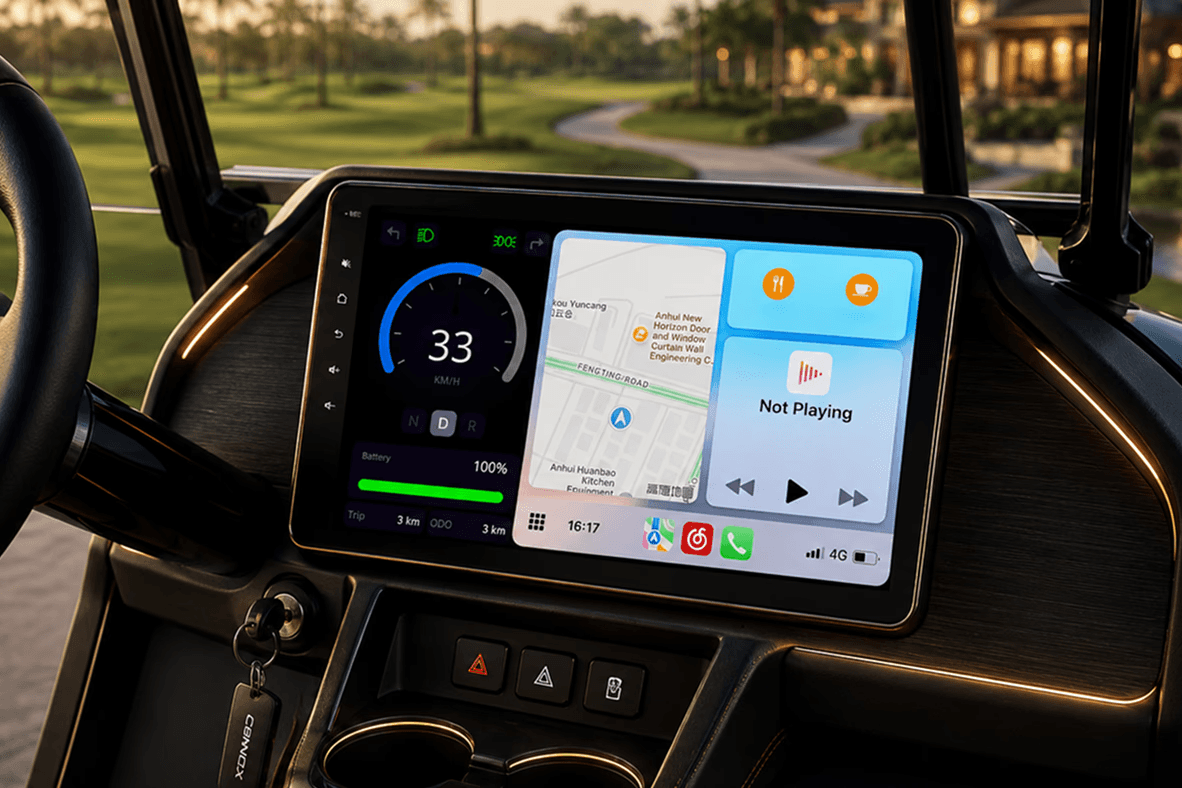
What Manufacturers Mean When They Ask for an Integrated Golf Cart Display?
When manufacturers search for:
- Integrated golf cart display
- OEM golf cart display
- Golf cart display supplier
- LSV display solution
They’re evaluating whether the display can become part of the vehicle platform. An integrated display typically needs to support:
- Vehicle dashboard information
- Battery visibility
- Gear indication
- Reverse camera functionality
- Connectivity features
- Vehicle communication
- Production deployment
The goal is to create a single interface that feels native to the vehicle rather than added afterwards.
Why Integration Matters More Than Features?
| Capability | Typical Display Solution | Integrated Display Solution |
|---|---|---|
| Vehicle Data | Display functionality often operates independently from vehicle systems. | Real-time dashboard with speed, gear position, battery %, trip distance, and odometer. |
| Vehicle Communication | Limited vehicle data integration. | CAN bus enabled vehicle data integration |
| Reverse Camera | Camera implementation varies by system. | Included rear view camera that auto-activates on reverse |
| Smartphone Connectivity | Connectivity features available on some systems | Wireless Apple CarPlay and Android Auto |
| Audio & Calling | Basic connectivity capabilities | Bluetooth audio and hands-free calling |
The dashboard data every driver needs
Drivers expect immediate access to the state of the vehicle without hunting for it. At minimum that means speed, gear position, battery percentage, trip distance, and odometer readings. Consolidating those into a single interface gives a better driving experience and removes the need for manufacturers to maintain separate gauges and indicators elsewhere on the dash.
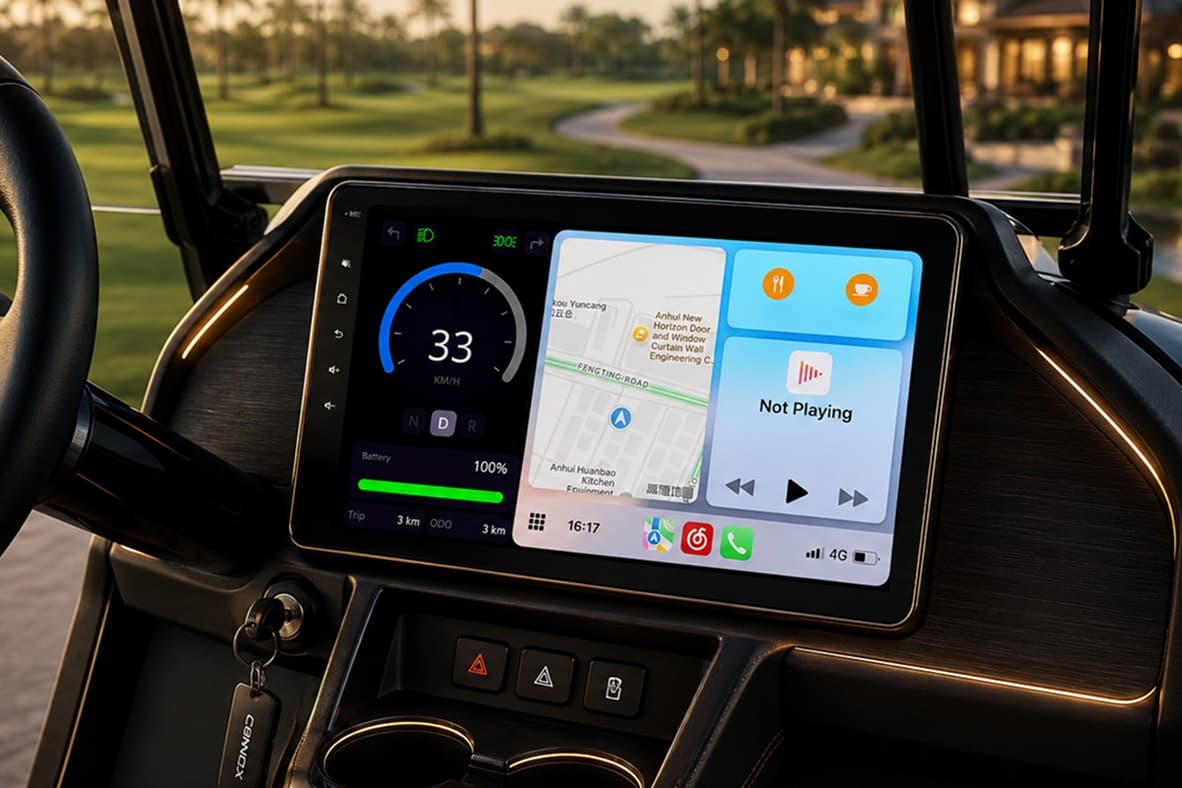
| Function | Why it matters |
|---|---|
| Speed | Immediate vehicle awareness |
| Gear position | Clear driving status at a glance |
| Battery percentage | Vehicle status and remaining range |
| Trip distance | Usage tracking between charges |
| Odometer | Vehicle lifecycle visibility |
Why CAN bus support matters
CAN bus is what separates a display designed for a vehicle from one adapted out of consumer electronics. Four things change once it is supported properly:
- Direct vehicle communication. The display reads information straight from compatible controllers and batteries rather than inferring it.
- A unified dashboard. Vehicle data arrives through one interface instead of being spread across separate systems.
- Access to the information that counts. Speed, battery, and gear position appear where the driver already looks for them.
- A cohesive platform. Fewer disconnected subsystems, and a cleaner electrical architecture to build and support.
Reverse camera integration is a good test of product maturity
Including a camera is easy. The question worth asking a supplier is whether the display switches to the camera view automatically when the vehicle is put into reverse, and whether that transition feels immediate rather than stitched together. That behaviour only works when the display tracks vehicle state, which makes it a quick way to gauge how deep the integration goes.
Connectivity is now part of the vehicle experience
Driver expectations have shifted. Navigation, music streaming, hands-free calling, and smartphone integration are no longer the preserve of passenger cars, and a golf cart or LSV that lacks them now reads as dated. What matters is whether those features behave consistently in everyday use, which is where adapted consumer hardware tends to show its limits.
What to evaluate before selecting a display supplier
A useful evaluation runs wider than the hardware specification. Four dimensions are worth scoring separately:
- Hardware. Display size, power compatibility, and system architecture.
- Vehicle integration. CAN support, dashboard data visibility, reverse camera behaviour, and vehicle communication.
- User experience. Dashboard clarity, connectivity reliability, audio support, and hands-free calling.
- Production readiness. Plug-and-play deployment, installation simplicity, cross-platform compatibility, and long-term support.
| Area | Question to ask |
|---|---|
| Vehicle data | Can it show real-time speed, gear, battery percentage, trip distance, and odometer? |
| Vehicle communication | Does it support CAN-based vehicle integration? |
| Connectivity | Does it offer wireless smartphone app mirroring? |
| Audio | Does it support Bluetooth audio and hands-free calling? |
| Camera support | Is a reverse camera supported, and does it activate automatically? |
Looking Beyond the Screen
Manufacturers have stopped treating displays as infotainment and started judging them as part of the vehicle platform, and by the role they play in how the vehicle drives.
The most effective display solutions bring together real-time dashboard information, vehicle communication, connectivity, and camera functionality through a single interface. As customer expectations continue to evolve, integration is becoming just as important as the feature set itself.
For manufacturers building modern golf carts and LSVs, the conversation has shifted from individual specifications to how the vehicle feels to drive. That puts the weight on whether the display reads vehicle state, surfaces it clearly, and behaves predictably in the moments that matter, like reversing.
Keogram Display is built to that standard, with CAN bus integration, a real-time dashboard, and an auto-activating reverse camera as standard. For a like-for-like breakdown against a common aftermarket unit, see the Keogram vs Navitas comparison, or the wider argument in a smarter standard for golf cart displays.
Frequently asked questions
What makes a golf cart display “integrated” rather than just installed?
An integrated display communicates with the vehicle itself. It reads speed, gear, and battery state over CAN, switches to the reverse camera automatically, and presents everything through one interface, instead of sitting on the dash as a separate screen that mirrors a phone.
Why does CAN bus support matter for a golf cart or LSV display?
CAN lets the display take data directly from compatible controllers and batteries instead of inferring it. That gives accurate speed, gear position, and battery percentage in one place, and reduces the number of disconnected subsystems a manufacturer has to wire and support.
What should a manufacturer ask a display supplier before committing?
Whether it shows real-time speed, gear, battery percentage, trip distance, and odometer; whether it supports CAN-based integration; whether smartphone mirroring is wireless; whether Bluetooth audio and hands-free calling are supported; and whether the reverse camera activates automatically.
Is a reverse camera enough, or does the integration matter?
The integration matters. Including a camera is straightforward; having the display switch to it automatically the moment the vehicle goes into reverse requires the display to be aware of vehicle state, which is a good indicator of how mature the product really is.
What dashboard information should a golf cart display show?
Speed, gear position, battery percentage, trip distance, and odometer, at minimum. Consolidating these into one interface improves the driving experience and removes the need for separate gauges elsewhere on the dashboard.
