Introduction
If you are searching for a golf cart display with Apple CarPlay, you are usually trying to solve one of two problems: upgrading a basic golf cart or LSV with a modern infotainment and driver interface, or, as an OEM or vehicle brand, finding a factory-ready smart display that improves the product experience without creating integration headaches.
A serious display for golf carts and low-speed vehicles should do more than mirror a phone. It should handle vehicle data, reverse camera input, battery visibility, Bluetooth reliability, and real-world OEM integration. That is where many aftermarket displays fall short, and where a purpose-built platform like Keogram Display stands apart.
The question worth asking is whether the display belongs in a vehicle at all. Driver expectations have changed. People now expect the same connectivity in a golf cart, LSV, utility vehicle, or neighborhood EV that they get in a passenger car.
What buyers actually mean by “golf cart display with Apple CarPlay”
The search intent behind this phrase is broader than it looks. Buyers are usually evaluating one of these cases:
- Aftermarket replacement for an existing touchscreen
- New build upgrade for a premium golf cart or LSV
- OEM factory integration for a branded dashboard experience
- Fleet or utility use where navigation, calls, reverse camera, and battery visibility all matter
Most product pages mention Apple CarPlay, Android Auto, screen size, and replacement compatibility, then gloss over the details that decide the outcome for technical buyers:
- CAN bus integration
- Real battery and vehicle telemetry
- White-label OEM deployment
- Dual Bluetooth architecture
- Power input tolerance
- Installation workflow for manufacturers
- Long-term software ownership and customization
These details separate a gadget from a production-grade vehicle interface.
What makes a great golf cart CarPlay display
The best displays become the control surface for the vehicle.
| Feature | Why it matters |
|---|---|
| Apple CarPlay | Familiar access to calls, music, maps, and messaging. |
| Android Auto | Essential for mixed-device households and fleets. |
| Reverse camera support | Improves safety when parking and maneuvering. |
| Real-time dashboard data | Speed, gear, battery %, trip, and odometer in one interface. |
| CAN bus integration | Enables deeper communication with the vehicle, not just media playback. |
| Stable Bluetooth architecture | Prevents conflicts between calls, audio, and phone mirroring. |
| Broad power input | Important for LSVs and varied electric vehicle platforms. |
| OEM branding support | Critical for manufacturers that need a differentiated product. |
Why CarPlay matters specifically on golf carts and LSVs
Golf carts and LSVs are no longer just for golf courses. They operate in gated communities, hospitality properties, campuses, industrial sites, marinas, residential neighborhoods, and commercial fleets. In those environments, navigation, calling, music, messaging, and voice control are practical equipment.
A J.D. Power study, cited via MacRumors, found that vehicle owners who use CarPlay reported higher satisfaction with their in-car infotainment systems: an average of 840 out of 1,000, against 805 for those using built-in systems.
The problem with many aftermarket golf cart displays
Many displays marketed to the golf cart industry are adapted consumer screens. They look good on a product page, but in deployment they tend to create problems:
- Weak integration with vehicle systems
- Limited or unreliable battery data
- Laggy UI under real use
- Bluetooth instability
- Minimal support for OEM branding
- Inconsistent installation requirements
- Poor documentation for technical teams
- No meaningful customization path
That is especially risky for manufacturers. Building vehicles at scale needs a display partner who understands electrical systems, embedded interfaces, firmware behaviour, and production assembly.
Two real-world examples in the market
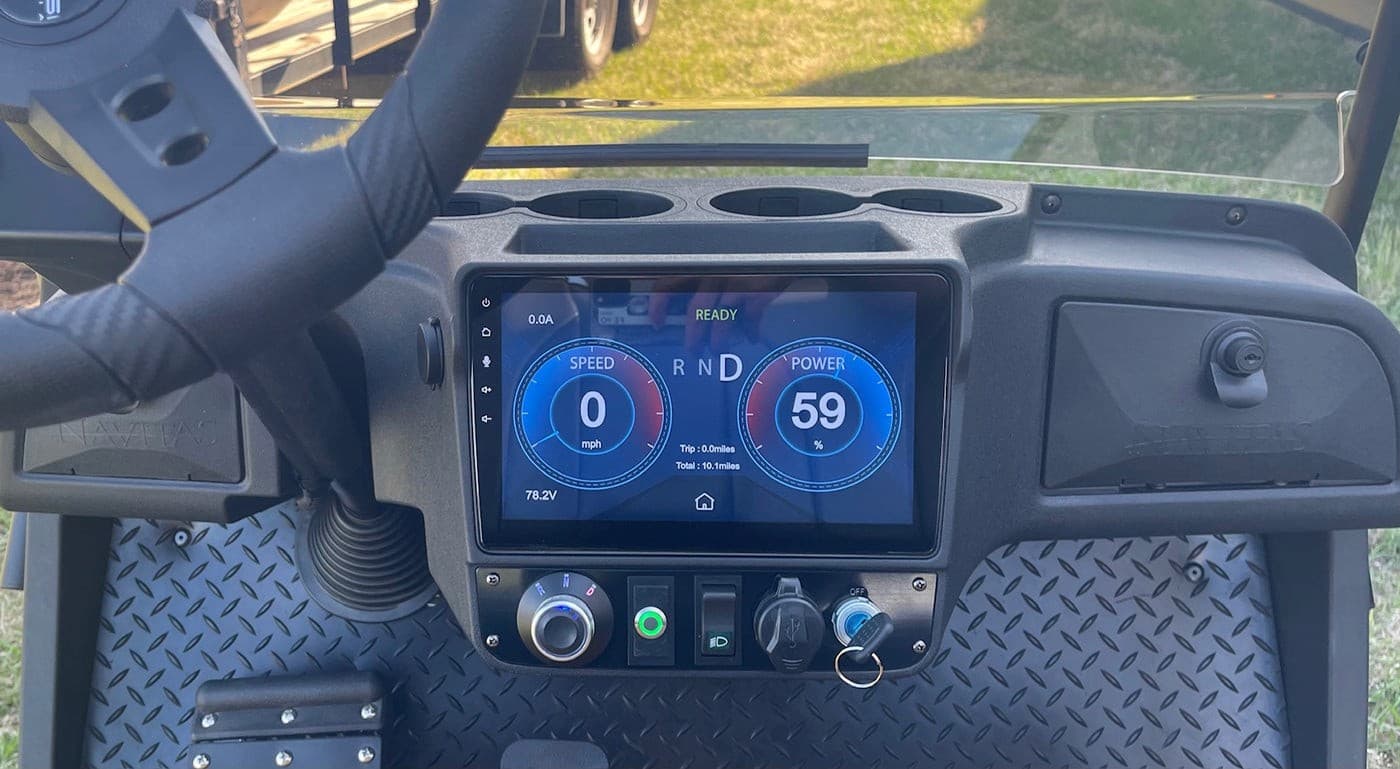
Navitas 10" CAN display
Positioned as a dash upgrade for golf carts and LSVs, its published feature set includes Apple CarPlay, Android Auto, AM/FM radio, a reverse camera, Bluetooth phone and audio, USB storage, CAN battery state-of-charge support, a TAC controller interface, and a 10.1-inch screen. That is a meaningful step up from legacy golf cart displays, because it recognises that users want infotainment and vehicle data in one place. Its positioning is still primarily a product component rather than a deeply customizable OEM platform. We cover the detail in our side-by-side comparison.
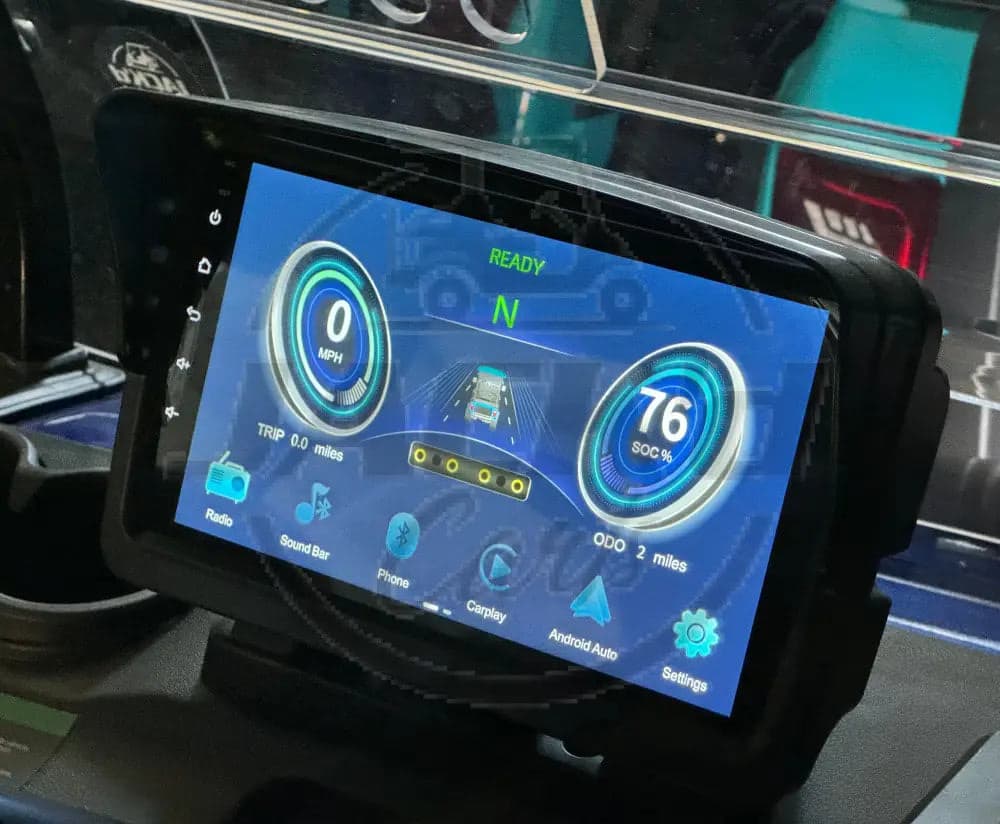
Evolution 9" D5 touchscreen
Marketed as a direct OEM replacement for compatible D5 Ranger and Maverick carts, it adds Apple CarPlay, Android Auto, upgraded audio, and replacement compatibility for existing touchscreen-equipped carts. The value is clear for owners of those specific vehicles, but it is explicitly limited: it does not run the entertainment and instrument clusters together, so the driver chooses between CarPlay and checking speed.
Keogram Display: a better answer for OEMs and premium vehicle programs
Where most competitor products stop at infotainment, Keogram Display is built as a complete smart dashboard platform for golf carts and low-speed vehicles. The opportunity for manufacturers is shipping a modern branded cockpit that raises the perceived value of the whole vehicle.
- 10.1-inch smart touchscreen
- Wireless Apple CarPlay and Android Auto
- Dual BLE architecture, so audio and phone mirroring do not conflict
- Real-time dashboard for speed, gear, battery %, trip, and odometer
- CAN bus integration
- Included rear-view camera with automatic reverse activation
- 9V–90V DC input
- Keogram Linux operating system
- 20+ apps including Spotify, Google Maps, Waze, and WhatsApp
- OEM white-label customization
- Plug-and-play installation for vehicle manufacturers
It is a vehicle-first interface engineered for deployment, built for golf cart manufacturers, LSV brands, utility vehicle OEMs, premium fleet builders, and mobility platforms that need branded digital interfaces.
Keogram Display vs a typical golf cart CarPlay screen
| Capability | Typical aftermarket screen | Keogram Display |
|---|---|---|
| Apple CarPlay | Usually yes | Yes, wireless |
| Android Auto | Sometimes | Yes, wireless |
| Vehicle telemetry | Limited | Real-time dashboard with CAN support |
| Reverse camera | Often optional | Included, auto-activates in reverse |
| Bluetooth stability | Can be inconsistent | Dual BLE architecture |
| Power compatibility | Narrower ranges common | 9V–90V DC |
| OEM branding | Rare | Full white-label support |
| Vehicle-specific customization | Minimal | Yes |
| Deployment model | Retail accessory | OEM-grade platform |
| Operating system control | Usually opaque | Purpose-built Keogram Linux OS |
Why OEMs should think beyond “CarPlay included”
For an OEM, CarPlay is one feature inside the product. The question that matters more is what the dashboard says about your vehicle brand. A premium display helps justify higher trim pricing, modernizes perceived product quality, closes the gap with passenger-vehicle expectations, sharpens the dealer pitch, improves usability for end customers, and unlocks custom workflows tied to your platform.
Keogram treats hardware, embedded UX, AI systems, and integration as one problem rather than four. The systems are built to survive production, support, and scale.
Questions comparisons rarely cover
Vehicle integration depth
CarPlay alone does not tell you whether the screen can read vehicle data, interact with controllers, or surface battery metrics accurately.
Deployment context
There is a large difference between a retail replacement screen, a dealer-installed accessory, and an OEM-installed production component.
Software ownership and extensibility
Can the display be customized for your product line? Can features evolve? Can your brand control the experience?
Reliability under real operations
A display in an LSV or utility platform needs to survive vibration, usage variation, weather exposure, power inconsistency, and long duty cycles.
End-to-end partner capability
When firmware behaviour, UI logic, branding, CAN messaging, or app behaviour needs to change, do you reach the engineering team or only a distributor?
How to evaluate a golf cart display with Apple CarPlay
For individual owners and dealers
- Is it a direct replacement or a new install?
- Does it support your exact vehicle make and model?
- Is CarPlay wireless or wired?
- Does it include a reverse camera?
- Can it show battery state of charge accurately?
- Does it support external audio systems?
- What are the installation constraints?
For OEMs
- Can it be white-labeled?
- Can the boot screen, UI, and branding be customized?
- Does it support CAN bus integration?
- What are the power input tolerances?
- How does it fit into the assembly process?
- Can custom vehicle functions be programmed?
- Who owns the software and future roadmap?
- Is there a direct engineering relationship?
Best use cases for a CarPlay-enabled golf cart display
- Residential and lifestyle LSVs. Drivers want a familiar interface for maps, calls, music, and messages.
- Hospitality and resort fleets. A polished display improves guest experience and supports premium branding.
- Campus and community mobility. Navigation and communications matter more when carts are daily transport.
- Marina and specialty platforms. Route awareness, reverse visibility, and battery monitoring all count.
- OEM premium trims. A smart display is among the fastest ways to modernize a vehicle line.
Which display is right for you
If all you need is a basic replacement screen, there are products on the market that will do the job. If vehicle experience and long-term product quality matter, the bar is higher. The right display fits the vehicle properly, works with the electrical system, surfaces real vehicle data, supports safe reversing, delivers stable connectivity, can be branded and customized, and is backed by an engineering team that can support it.
Keogram Display is built for manufacturers and vehicle programs that want the platform approach. For the manufacturer-side checklist, covering what to ask a supplier about CAN support, dashboard data, and reverse camera behaviour, see what to look for in an integrated golf cart display. To explore OEM integration, white-label deployment, or custom dashboard functionality for your line, get in touch.
Frequently asked questions
Does Keogram Display support wireless Apple CarPlay on a golf cart?
Yes. Keogram Display runs wireless Apple CarPlay and wireless Android Auto over a dual BLE architecture, so phone mirroring does not conflict with Bluetooth audio or hands-free calling.
What should I look for in a golf cart display beyond CarPlay?
CAN bus integration, real battery and vehicle telemetry, reverse camera behaviour, Bluetooth stability, power input tolerance, and whether the platform can be white-labelled and customised for your vehicle line.
What is the difference between an aftermarket golf cart screen and an OEM display platform?
An aftermarket screen is usually an adapted consumer device sold as a retail accessory. An OEM platform is engineered for production: it reads vehicle data over CAN, ships with documented installation, and can be branded and extended for a specific vehicle programme.
How does Keogram Display compare with the Navitas 10-inch CAN display?
Both offer CarPlay, Android Auto, a reverse camera, and CAN battery state of charge. Keogram Display adds wireless CarPlay and Android Auto, dual BLE, a 9V–90V DC input, full white-label OEM support, and a purpose-built Keogram Linux OS rather than a fixed product component.
Can a golf cart display show speed and battery at the same time as CarPlay?
On Keogram Display, yes. Some competing units, including the Evolution 9-inch D5 touchscreen, do not run the entertainment and instrument clusters together, so the driver must choose between CarPlay and checking speed.
What power input does a golf cart or LSV display need?
Wide tolerance matters because LSV platforms vary. Keogram Display accepts 9V–90V DC, which covers common 48V, 60V, and 72V golf cart and low-speed vehicle packs.
